How to Get a Subscription
Subscribe to Triminage Account Opening Form service to start accepting account opening submissions from your clients.
Last updated: 2024
Prerequisites
- A registered Triminage account
- Valid payment method (credit card, etc.)
Step-by-Step Instructions
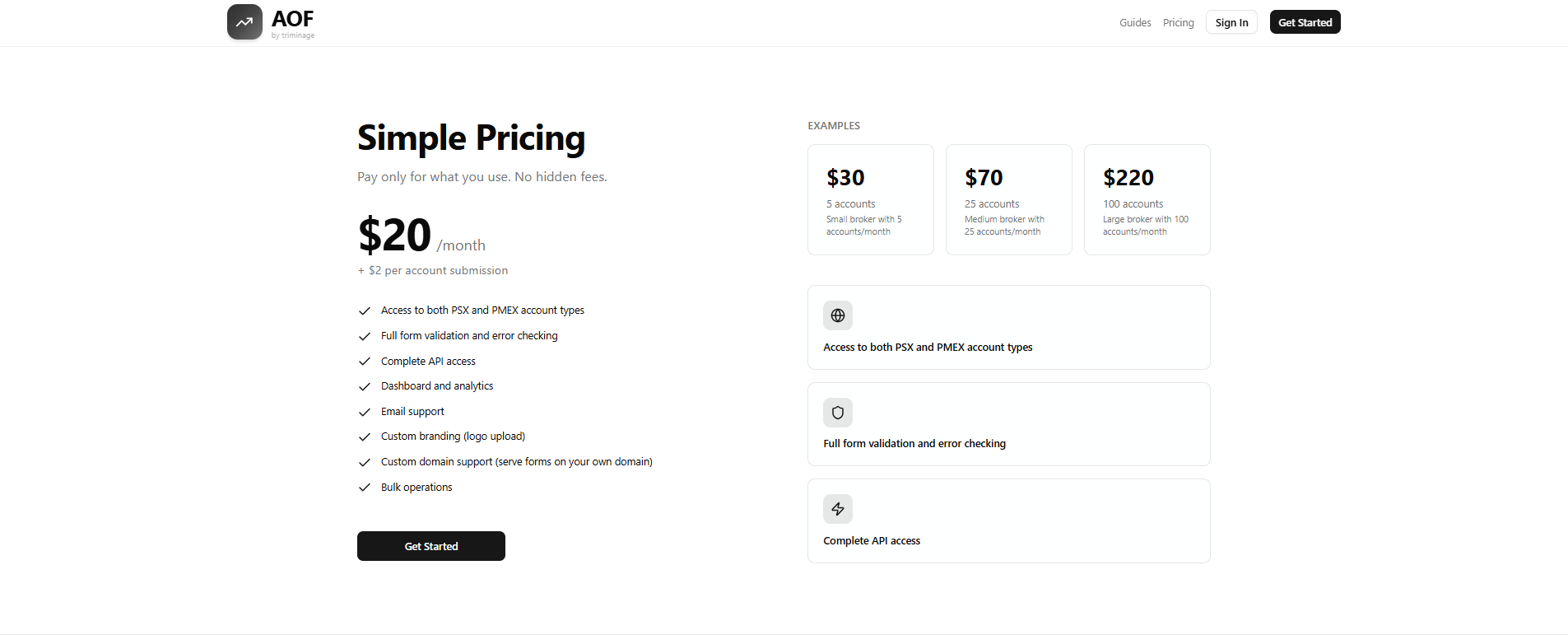
Navigate to Pricing Page
From the homepage or dashboard, click on "Pricing" in the navigation menu to view available subscription plans.

Review Subscription Plans
Review the different subscription options available. Each plan includes a base monthly fee plus a per-account submission charge.
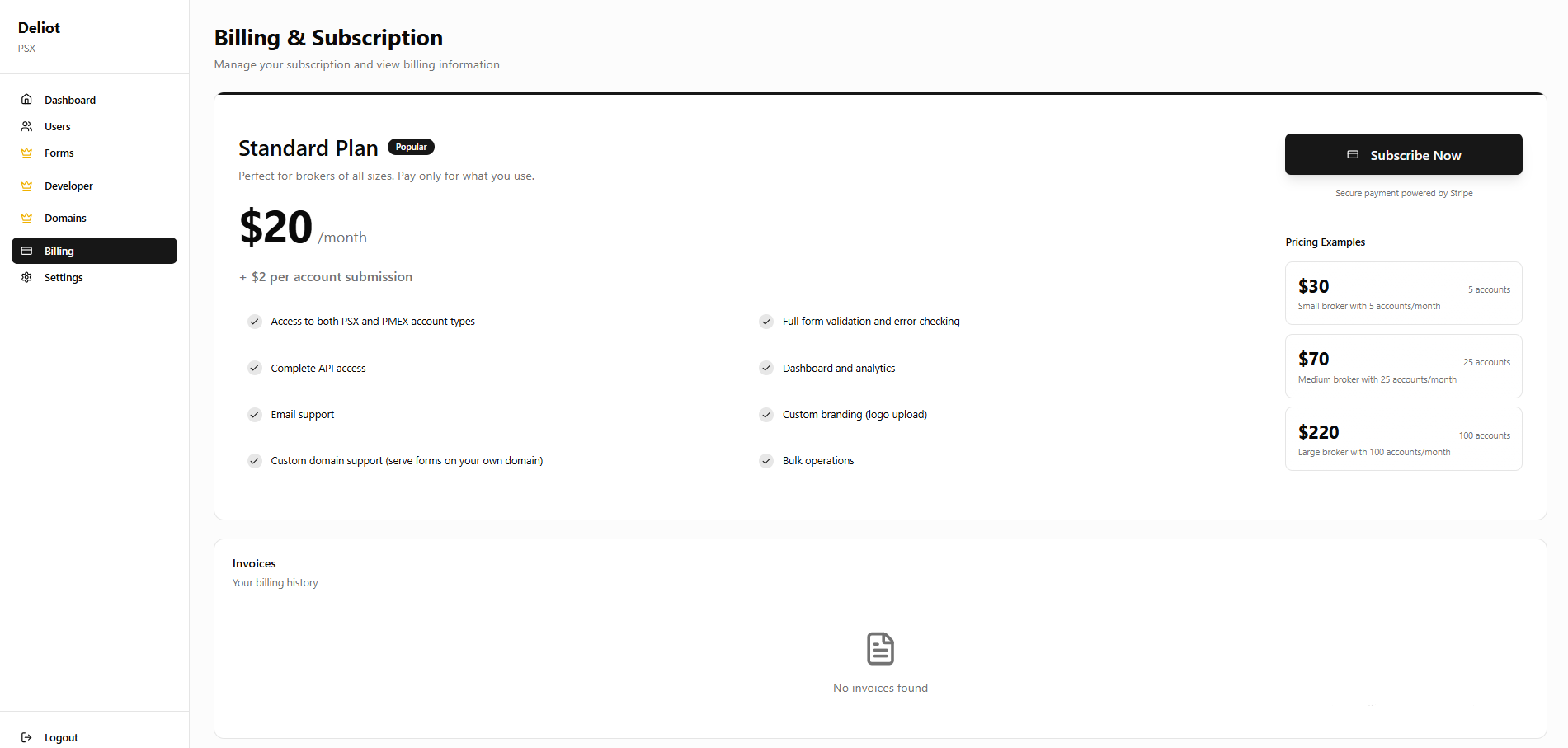
Access Billing Section and Select Your Plan
Log in to your dashboard and navigate to the "Billing" section. Once there, review the available subscription plans and choose the one that best fits your needs. Consider your expected number of account submissions per month.
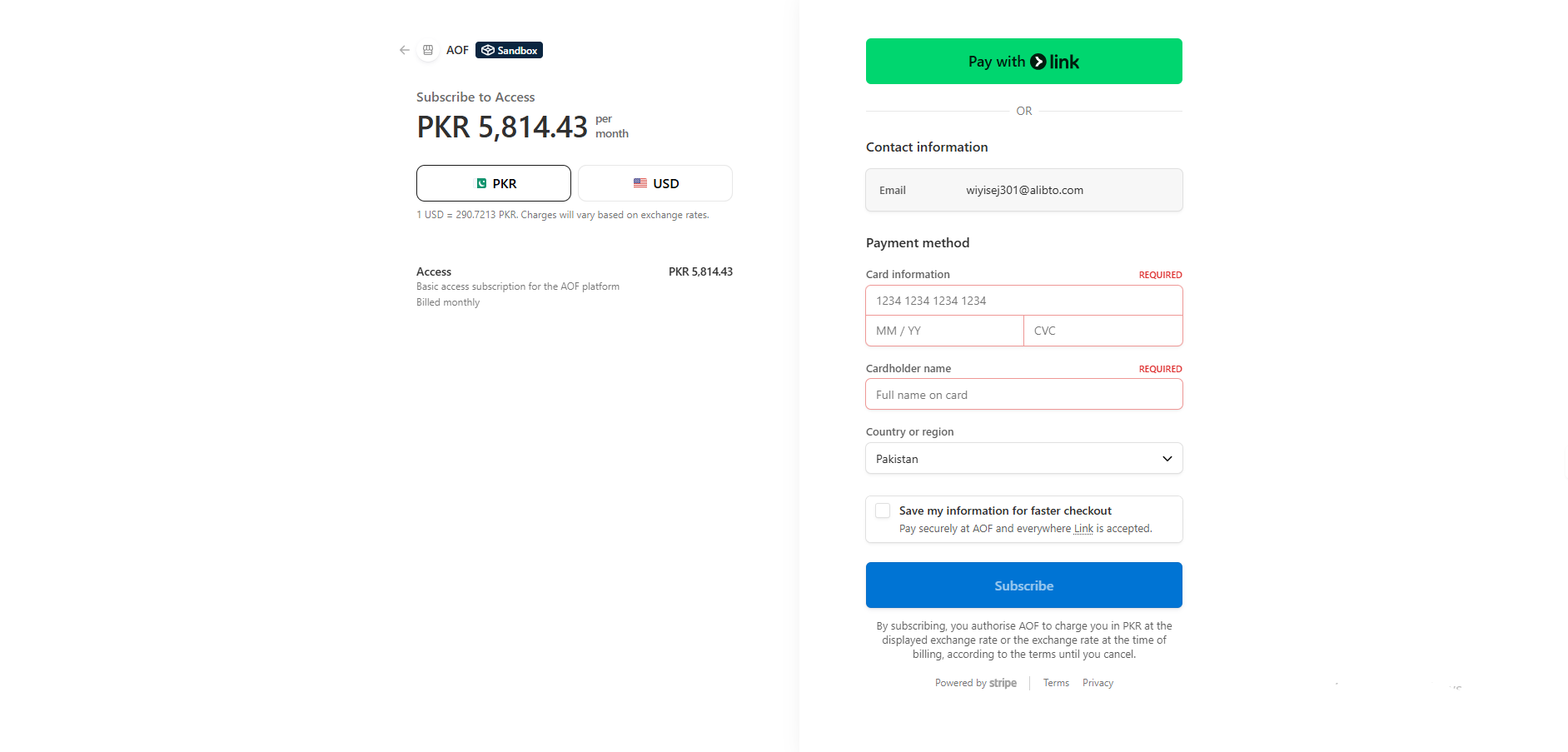
Enter Payment Information
Enter your payment details including credit card information or other accepted payment methods. All transactions are secure and encrypted.
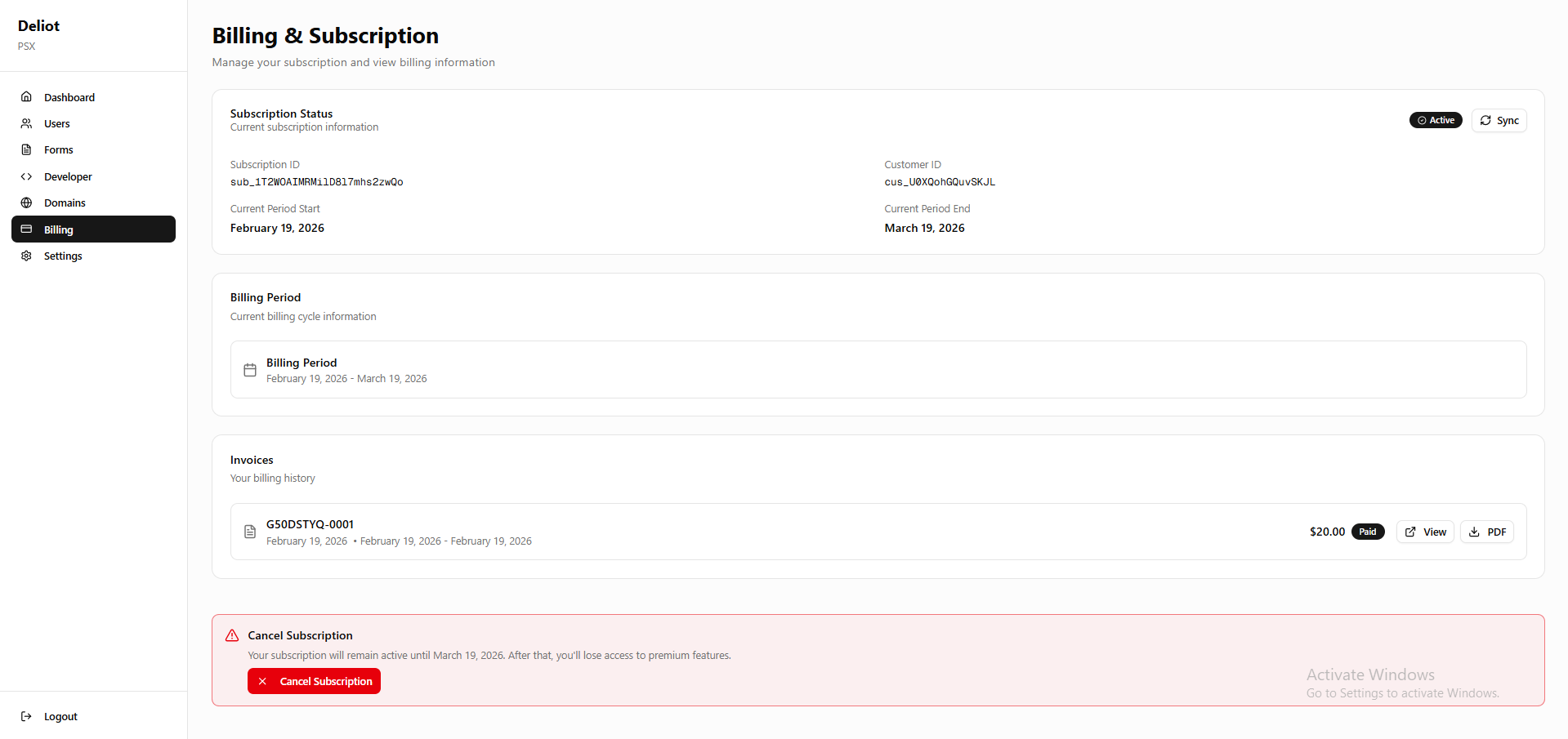
Confirm Subscription and Verify Active Status
Review your subscription details and click "Confirm" or "Subscribe" to complete the process. After successful payment, your subscription will be activated. You can verify this in your Billing section, which will show your active subscription status. You will also receive a confirmation email.