Domain is Not Connected
Troubleshoot and resolve issues when your domain fails to connect to your Triminage Account Opening Form.
Last updated: 2024
Prerequisites
- Access to your domain registrar
- Access to Triminage dashboard
- DNS records provided by Triminage
Step-by-Step Instructions
Check Domain Status
Log in to your dashboard and navigate to the "Domains" section. Check the status of your domain connection. It should show "Connected" if properly configured.
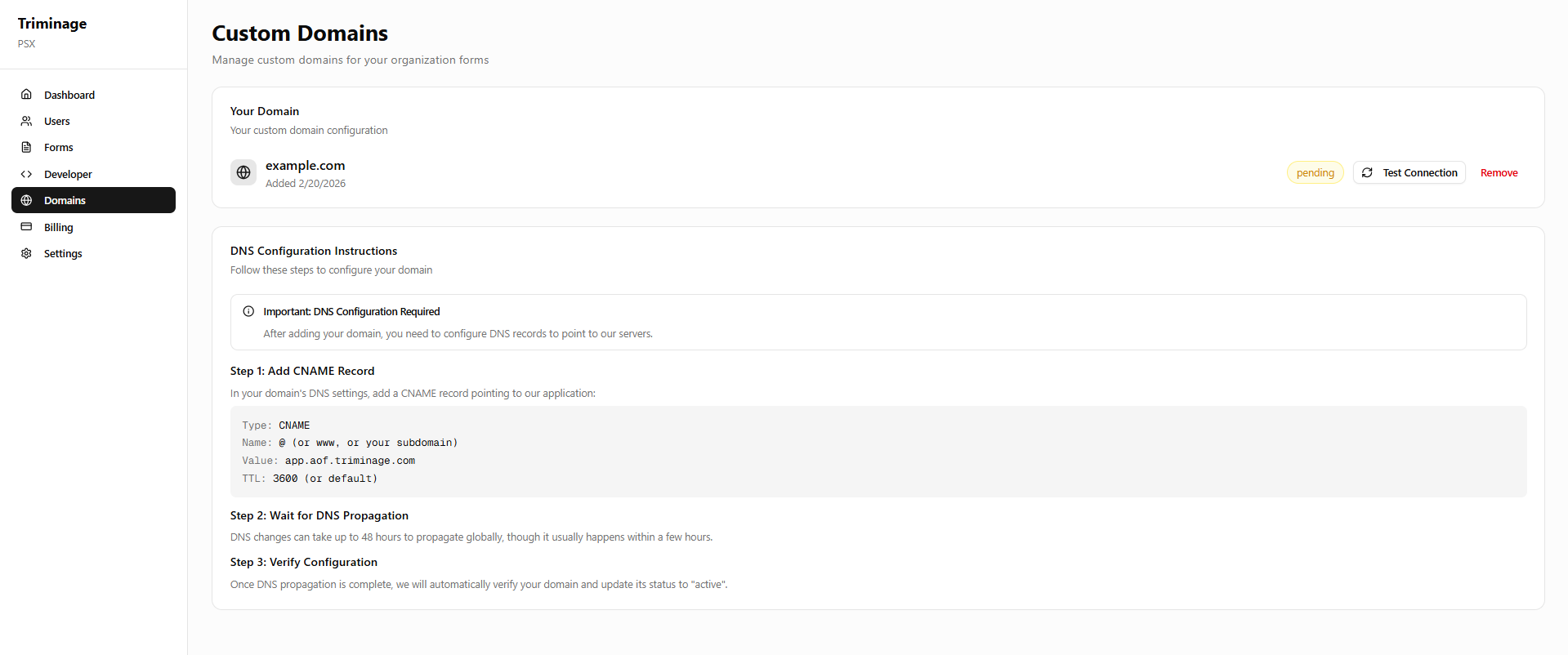
Verify DNS Records
Check that you have added the correct DNS records provided by Triminage to your domain registrar. Common issues include typos or incorrect record types.
Check DNS Propagation
DNS changes can take 24-48 hours to propagate. Use online DNS checker tools to verify if your DNS records have propagated correctly.
Verify Record Values
Double-check that the DNS record values (CNAME target or A record IP) match exactly what was provided in the Triminage dashboard. Even small differences can cause connection failures.
Check for Conflicting Records
Ensure there are no conflicting DNS records. For example, if you're using a CNAME record, make sure there are no A records pointing to the same subdomain.
Re-verify Connection
In the Triminage dashboard, click the "Verify" or "Re-check" button to have the system verify your DNS configuration again.
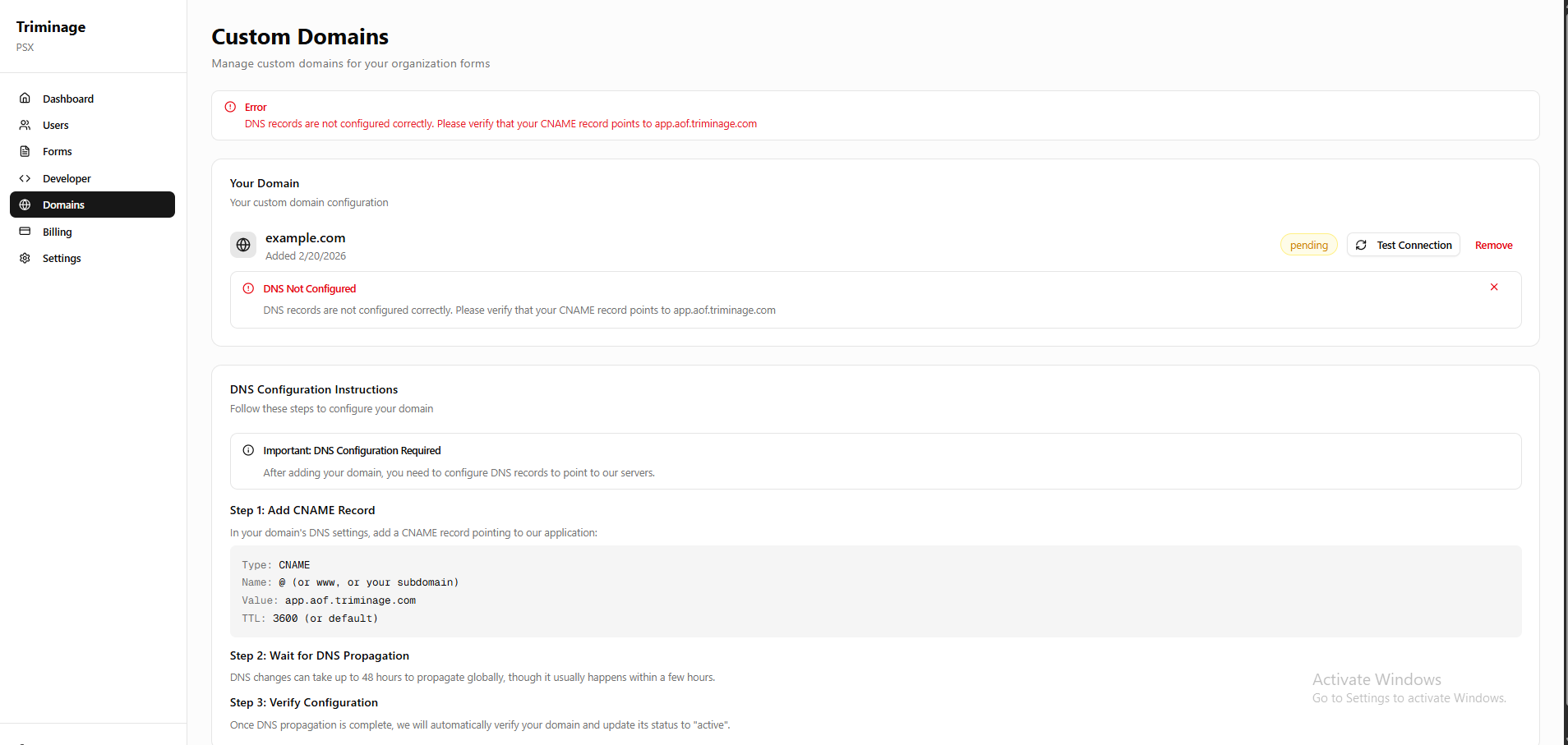
Common Causes
The most common reasons for domain connection failures include: incorrect DNS records, DNS propagation delays, conflicting DNS records, or typos in the domain name or record values.
Quick Check
Before troubleshooting, wait at least 1-2 hours after making DNS changes, as propagation can take time. If you just made changes, the issue might resolve itself once DNS propagates.
DNS Propagation
DNS changes typically take 24-48 hours to fully propagate across all DNS servers worldwide. However, most changes are visible within a few hours. Be patient and check again later if your records are correct.