Form is Blocked
Troubleshoot and resolve issues when your account opening form is blocked or access is restricted.
Last updated: 2024
Prerequisites
- Access to Triminage dashboard
- Access to the form URL
- Account login credentials
Step-by-Step Instructions
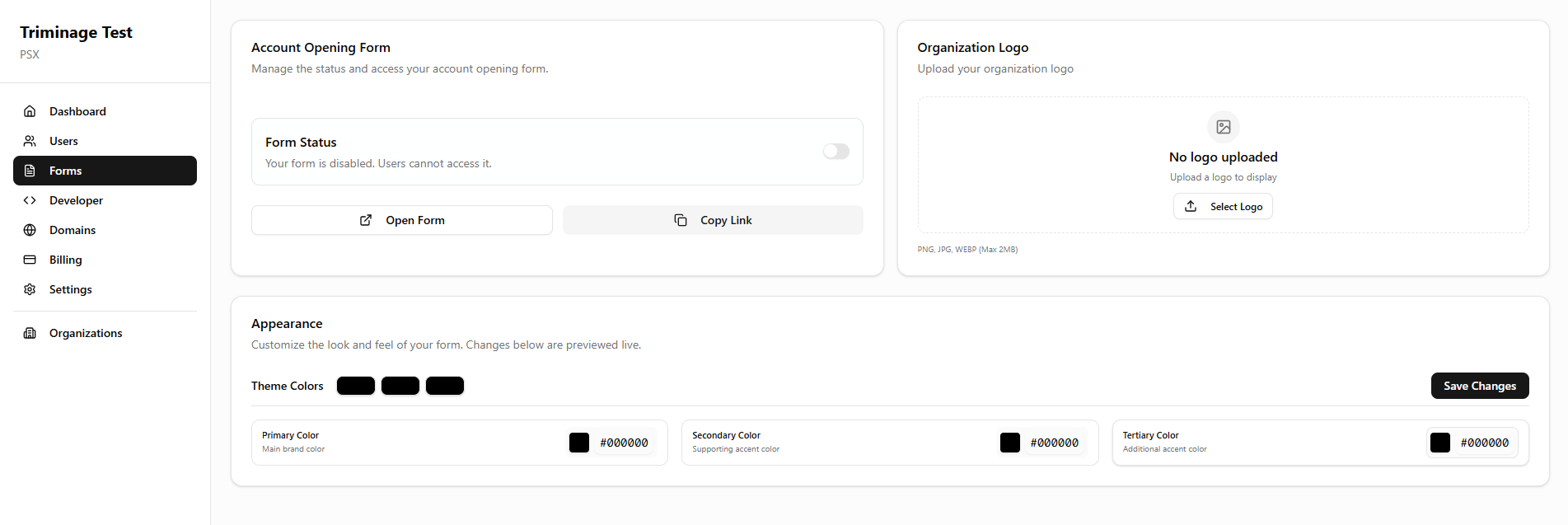
Check Form Status
Log in to your dashboard and navigate to the "Forms" section. Verify that your form is not set to "Blocked" or "Restricted" status.
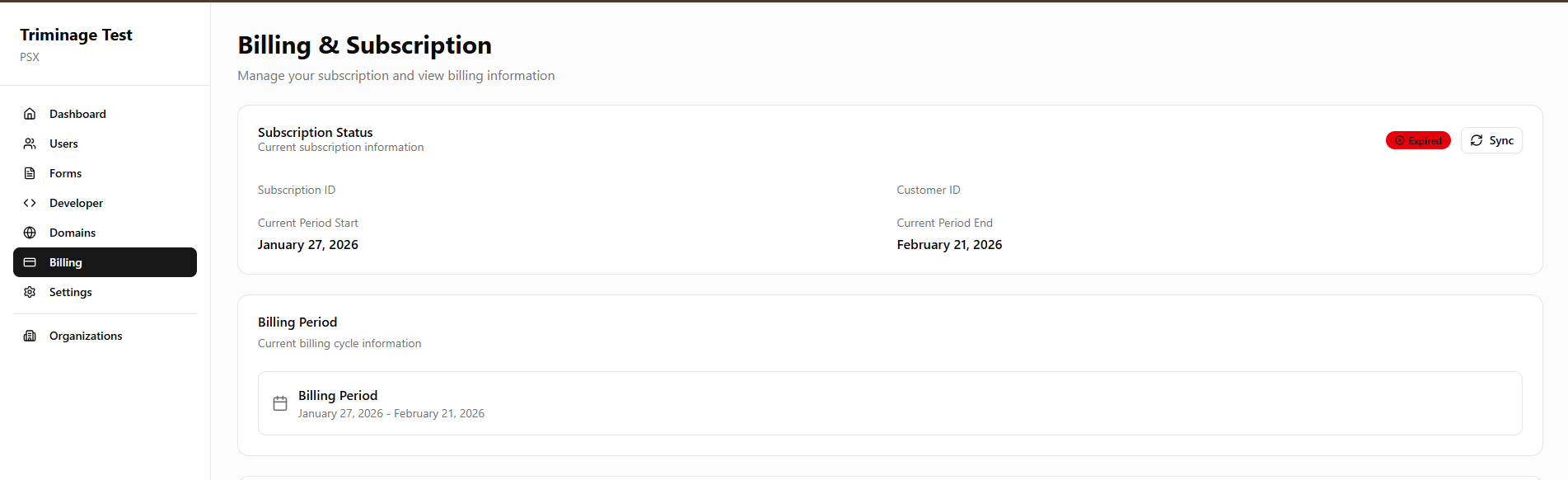
Verify Subscription Status
Check your subscription status in the Billing section. Expired, suspended, or unpaid subscriptions can cause forms to be blocked.
Check Account Status
Verify that your account is in good standing. Suspended or restricted accounts may have their forms blocked automatically.
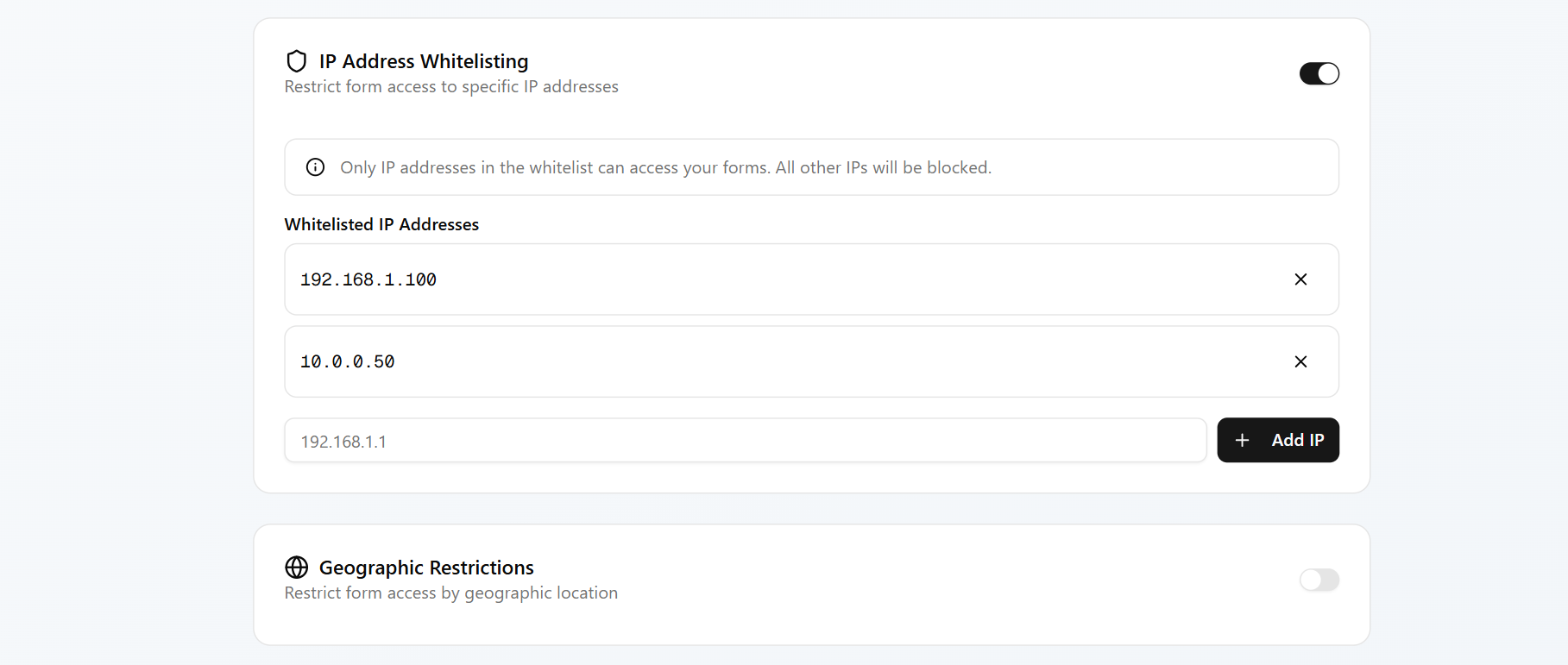
Review Access Restrictions
Check if you have set any access restrictions, IP whitelisting, or geographic restrictions that might be blocking legitimate access.
Check Browser/Network Blocking
Verify that your browser or network firewall isn't blocking the form. Try accessing from a different network or browser.
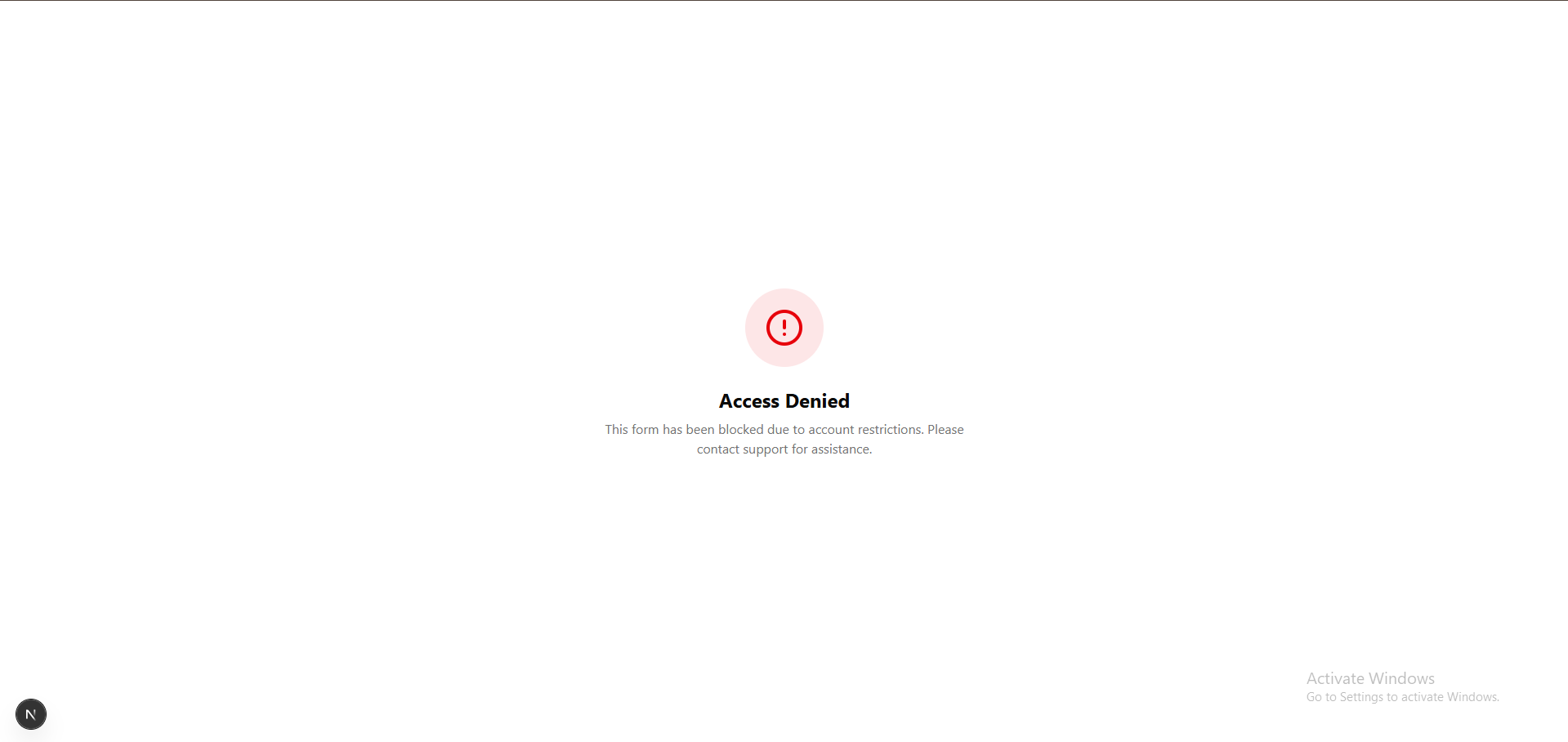
Review Error Messages
Note any specific error messages displayed when trying to access the form. Messages like "Access Denied" or "Form Blocked" can provide clues.
Check Domain Restrictions
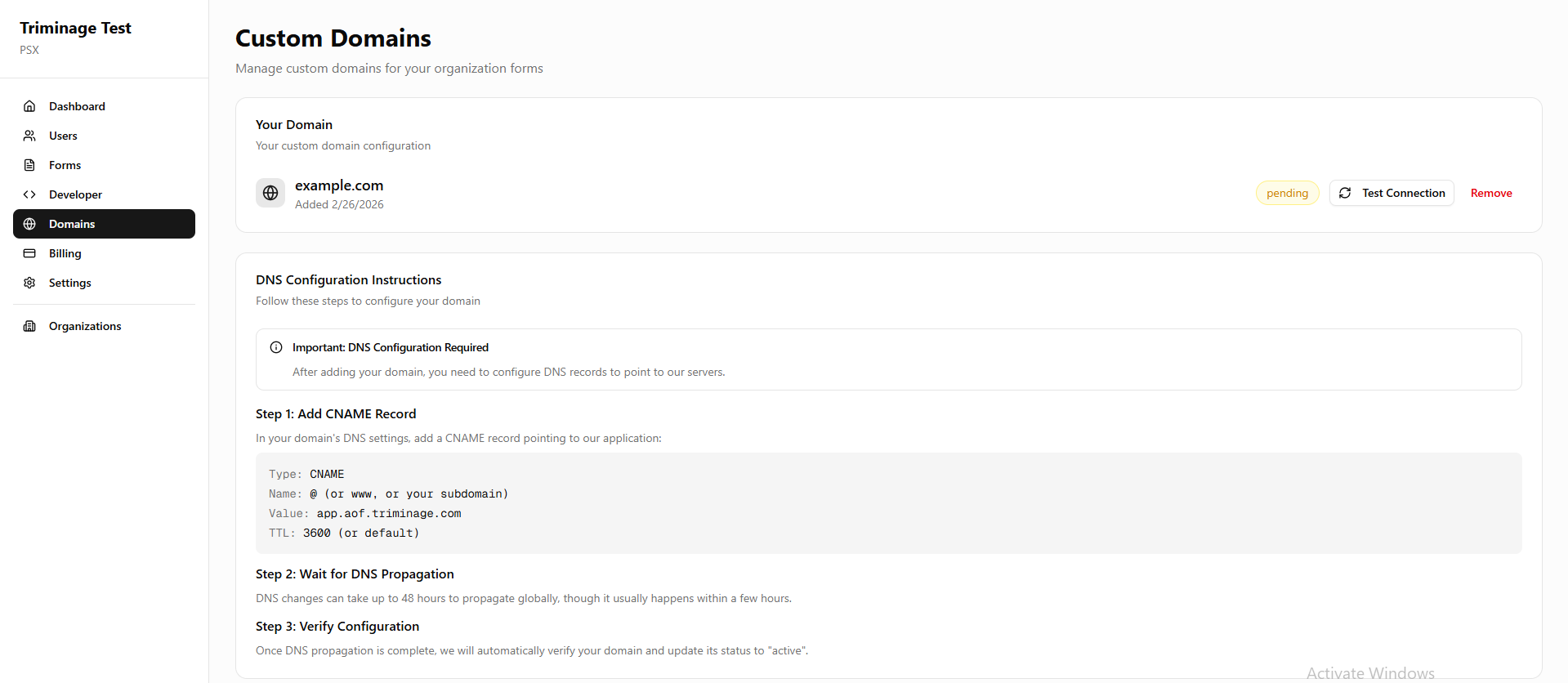
If using a custom domain, verify that the domain connection is active and not restricted. Check the Domains section in your dashboard.
Contact Support
If none of the above steps resolve the issue, contact Triminage support with your account details and the specific blocking message you're seeing.
Common Causes
Forms may be blocked due to: expired subscriptions, account suspension, form status set to blocked, access restrictions, IP blocking, or security policy violations.
Immediate Actions
If your form is blocked, first check your subscription status and account standing. These are the most common reasons for blocking. Ensure payments are up to date.
Security Blocks
Forms may be temporarily blocked by security systems if suspicious activity is detected. These blocks are usually temporary and will be automatically lifted, or you can contact support for assistance.
Account Suspension
If your account has been suspended, you'll need to resolve the issue that caused the suspension before your forms can be unblocked. Check your email for suspension notices.